Real windows
Drag, resize, focus, snap to halves and quarters. Mission Control to see everything at once.
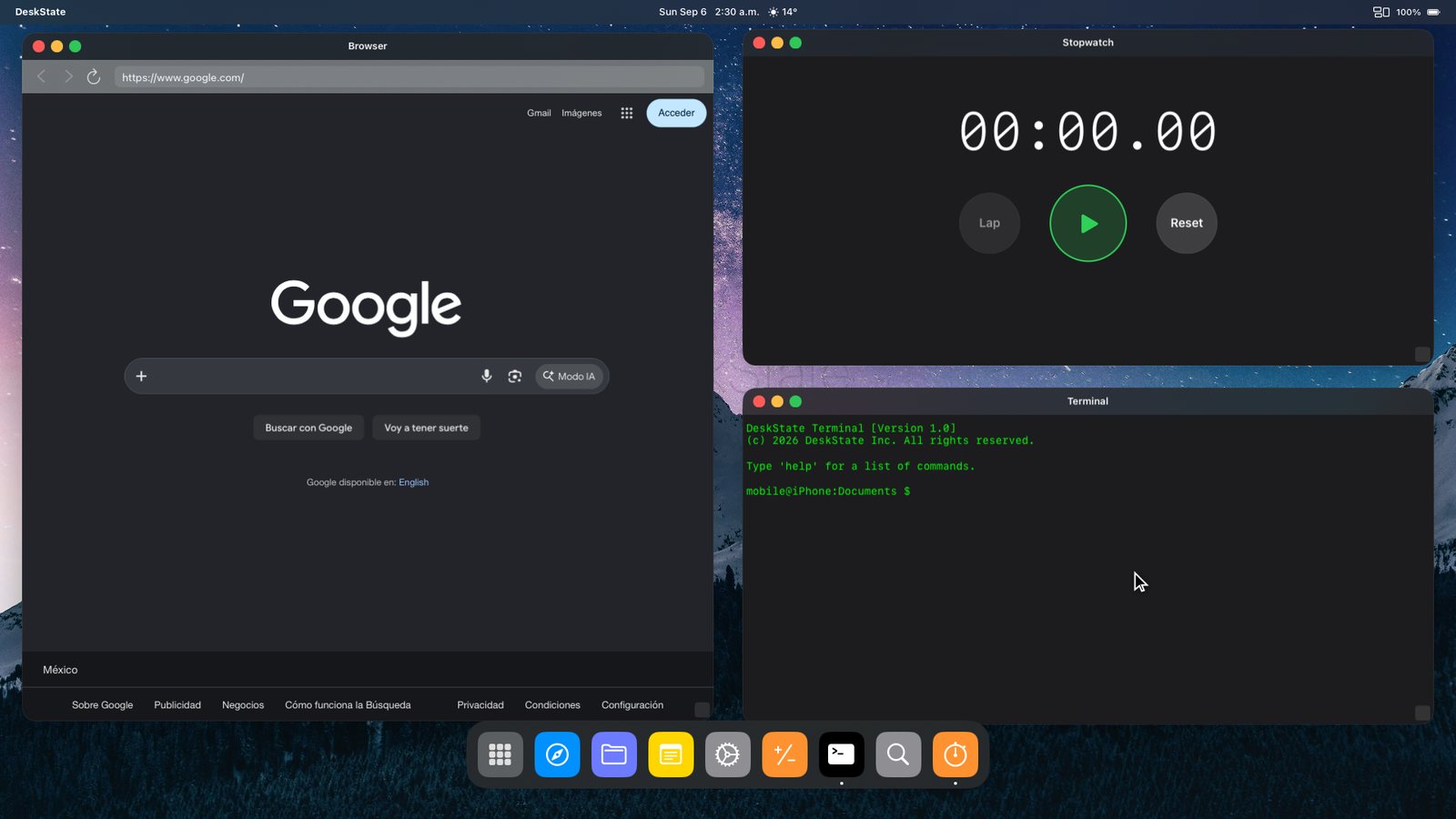
Plug into a monitor or TV and DeskState fills the screen with a desktop: draggable windows, a dock, Spotlight, Mission Control. Your phone becomes the trackpad and keyboard. Native resolution, no black bars.
USB-C to HDMI cable, a portable monitor, a lapdock or AirPlay to an Apple TV. iPhone 15 or newer plugs straight in.
The monitor shows the desktop at its native resolution. Your first five sessions unlock every Pro feature.
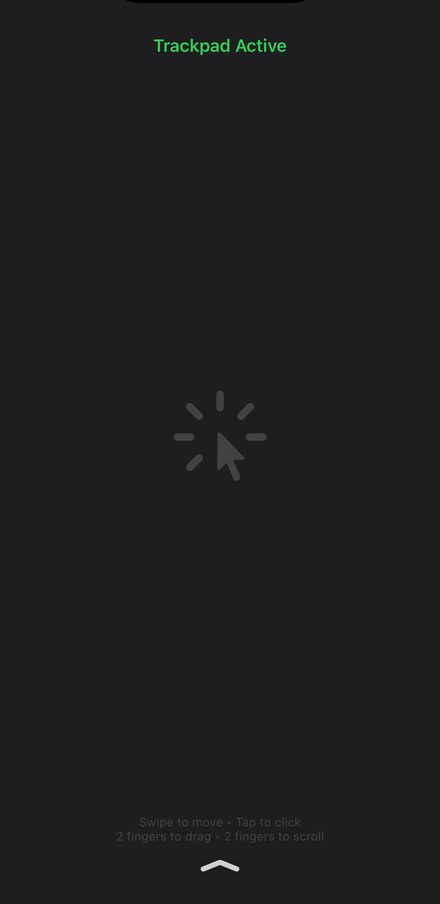
Swipe on the phone to move the cursor, tap to click, two fingers to scroll. Pair a Bluetooth keyboard and mouse if you want the full setup.
Drag, resize, focus, snap to halves and quarters. Mission Control to see everything at once.
Cursor, clicks, scrolling and a keyboard, all from the iPhone in your hand. No extra hardware required.
Fills 16:9, ultrawide and 4K screens at native resolution instead of mirroring a phone-shaped rectangle.
Web panels, Documents, Notes, Console, Quick Calc, Focus Timer, Stopwatch, Tasks and World Clock. All in windows.
Gmail, Calendar, Notion, GitHub, YouTube, Reddit and more open as desktop-class windows. Pin your favourites to the dock.
Accent colours, dock styles, wallpapers or your own photo. Spotlight search to launch anything by name.
From the first time you connect a display, your first five desktop sessions have every Pro feature: unlimited time, quarter snapping, premium themes and the Pro tools. Use them for real work, then decide.
After the preview you keep the free plan for as long as you like: 20 minutes of desktop a day, paused whenever you unplug. Pro removes the limit.
Start your Pro sessions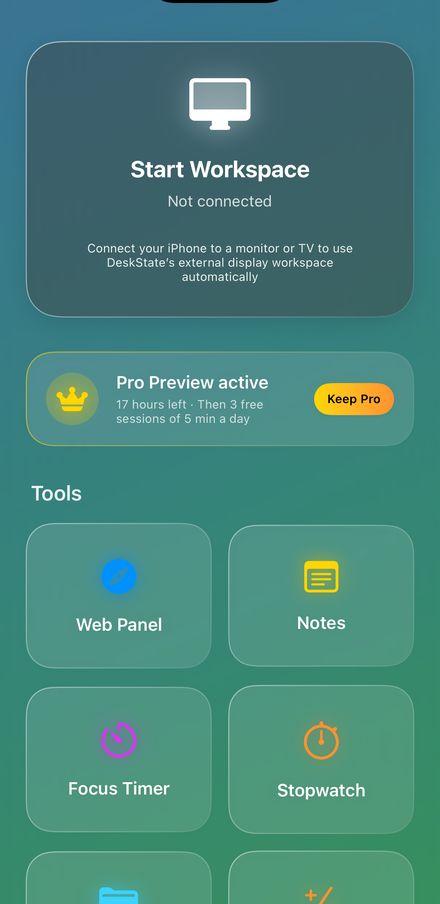
Every plan starts with five free Pro sessions. Prices in USD, shown in your local currency on the App Store.
Any iPhone on iOS 18.6 or later. USB-C iPhones (iPhone 15 and newer) connect with a USB-C to HDMI cable or adapter, a USB-C monitor or a lapdock. Lightning iPhones need Apple's Lightning Digital AV Adapter. AirPlay to an Apple TV or AirPlay-compatible TV also works.
No. iOS does not let one app display another, so DeskState runs its own tools and web apps in windows. Gmail, Notion, GitHub, Google Docs and most services work well as web panels.
Yes. Pair them with the iPhone in Bluetooth settings. The phone's trackpad and on-screen keyboard stay available as a fallback.
You drop to the free plan: 20 minutes of desktop a day. Nothing is deleted. Upgrade from the app whenever you want the limit gone, or keep using it free.
Subscriptions are billed by Apple. Cancel under Settings → Apple Account → Subscriptions on the iPhone; access continues to the end of the period. Refunds are requested through Apple at reportaproblem.apple.com.
Free download. Your first five sessions on a monitor are Pro.
Download on theApp Store